Settings: three tabs, nothing required
Everything the desk needs from you, on three tabs. Each key is optional, each one is yours, and each one stays in a file inside the desk folder on your computer. The desk writes that file for you and a new version never touches it. Nothing on this screen places an order anywhere.
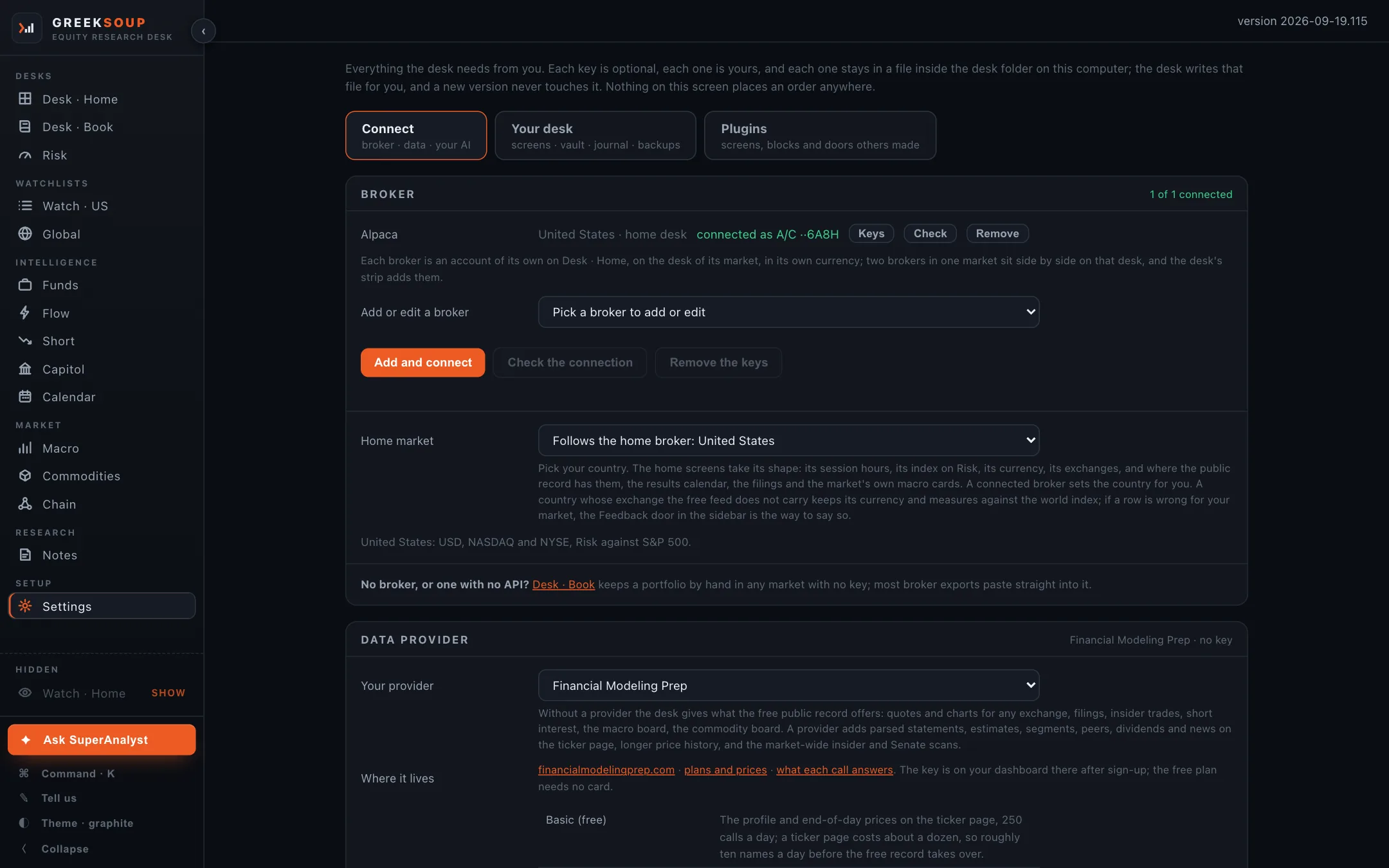
Connect
Broker. One account per broker, on the desk of its market. Pick a broker to add or edit, paste its keys, Add and connect; Check the connection and Remove the keys sit beside it. A broker that issues a session key each trading day (ICICI Direct, Zerodha) has a session box under its keys that opens the broker's login and takes the day's key from the page it returns to. Any broker error carries a button that hands it to your AI. Brokers.
Home market. Pick your country, or let the connected broker set it. The home screens take its shape: session hours, the index on Risk, the currency, the exchanges, and where the record has them, the results calendar, the filings and the market's own macro cards. Markets.
Data provider. Pick one from the list, paste the key, and a button says what your plan answers. Without one the desk gives what the free record offers; a provider adds parsed statements, estimates, segments, peers, dividends and news on the ticker page, longer price history, and the market-wide insider and Senate scans. Data providers.
Your AI. The apps already on this computer first (Claude Code, Codex, Gemini CLI, Kimi Code, Grok Build, Qwen Code, Cursor), each with Use it for Ask and Sign in; then a key from any of fourteen presets, models on your own computer among them; then Any other endpoint. Test it sends one line and shows what came back. Your AI.
Your desk
Screens. Show or hide any screen except Desk · Home and Settings; screens you have not touched follow your home market.
How you invest. A few lines in your own words that go with every question to your AI, so the answer fits you.
Where the vault lives. The folder your notes and files are in: beside the desk, in Documents, or in a folder a drive you already use syncs.
Journal. What the desk writes each day, and whether it does.
This desk. The version, the update check, the startup guide, and Tell us, which gathers what we need to help and sends it.
Your files. One zip of everything that is yours, and what an update never touches. Back up.
If something is wrong. The one check that tells your agent what to fix. If something is wrong.
Plugins
Screens, blocks and doors others made, switched on here. Plugins.
Where the keys live
In one settings file inside the desk folder, written by this screen. The update never touches it, the backup never carries it, and the page your AI reads tells it not to read it. What it talks to lists every place the desk sends a request.