Desk · Book: a portfolio kept by hand, in any market
For anyone with no broker to connect, and for a book that spans markets. Type a company's name, pick the listing you hold, give it shares and a cost, and the desk prices it. Most broker exports paste straight in.
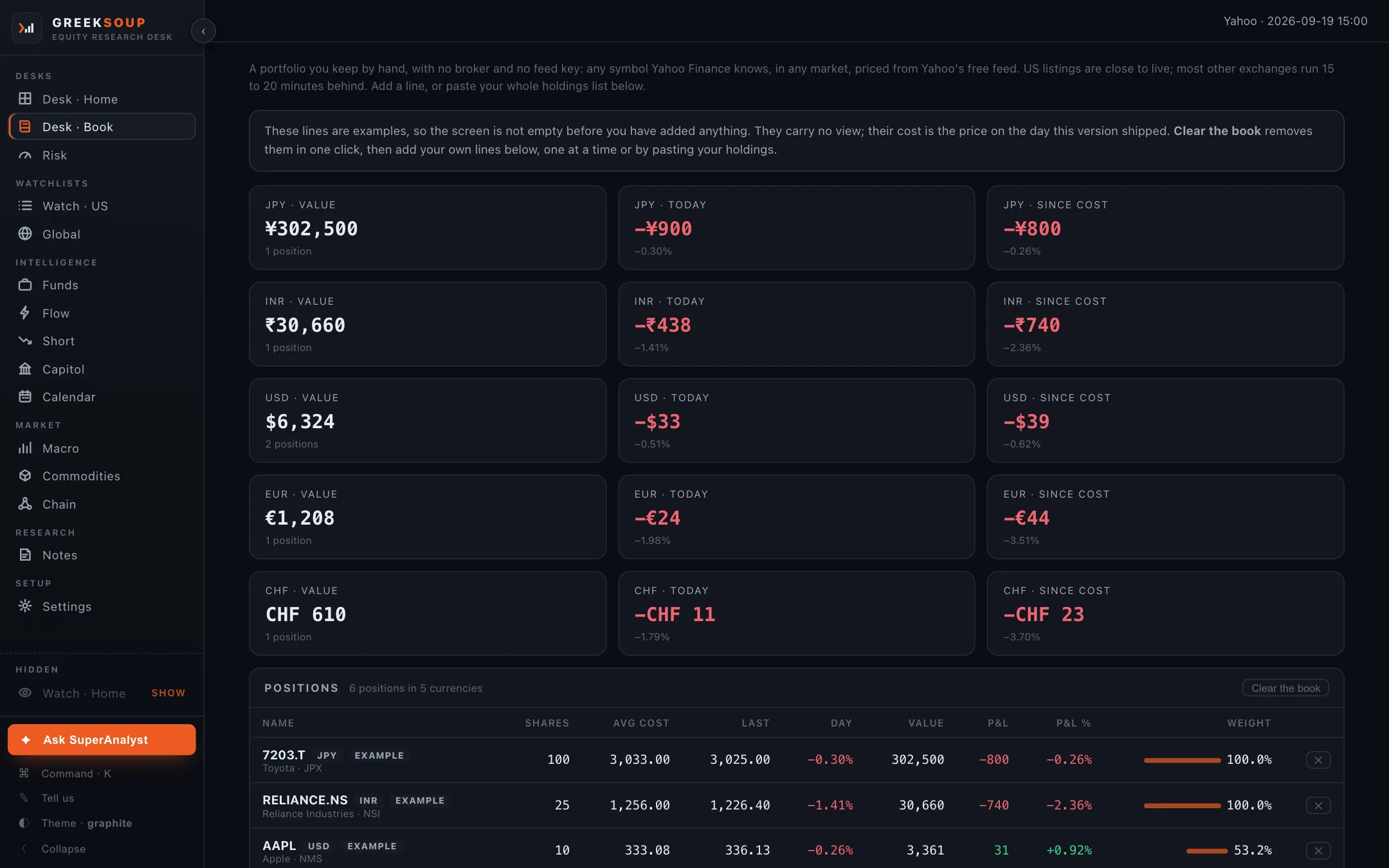
What it shows
Per-currency cards. Value, today's move and profit since cost, one row of cards per currency, so a book across markets adds up honestly instead of pretending one exchange rate.
The positions table. Symbol and exchange, shares, average cost, last price, day move, value, P&L, P&L percent and weight within its currency. A cross at the end of a row removes it.
The example lines. A fresh install carries a few example positions so the screen is not empty. They carry no view; their cost is the price on the day that version shipped. Clear the book removes them in one click.
Where each number comes from
| Number | Source |
|---|---|
| Last price, day move | Yahoo's free feed; US listings close to live, most other exchanges fifteen to twenty minutes behind |
| The listing behind a name you type | Yahoo's search, filtered to the exchange you pick; an ISIN pasted from a statement is looked up through OpenFIGI |
| Value, P&L, weight | Your shares and cost against the live price |
Nothing on this screen uses a broker or a key.
What you can do here
- Add a line: company name or symbol, shares, average cost.
- Paste your holdings: one position per line, symbol, shares, average cost, commas or tabs or spaces, a header row is fine.
- Clear the book removes every line, examples included.
- The US lines here also appear on Desk · Home's US desk, feed the Calendar, Flow and Risk, and count as held on every screen that marks held names.