Notes: the research vault as one screen
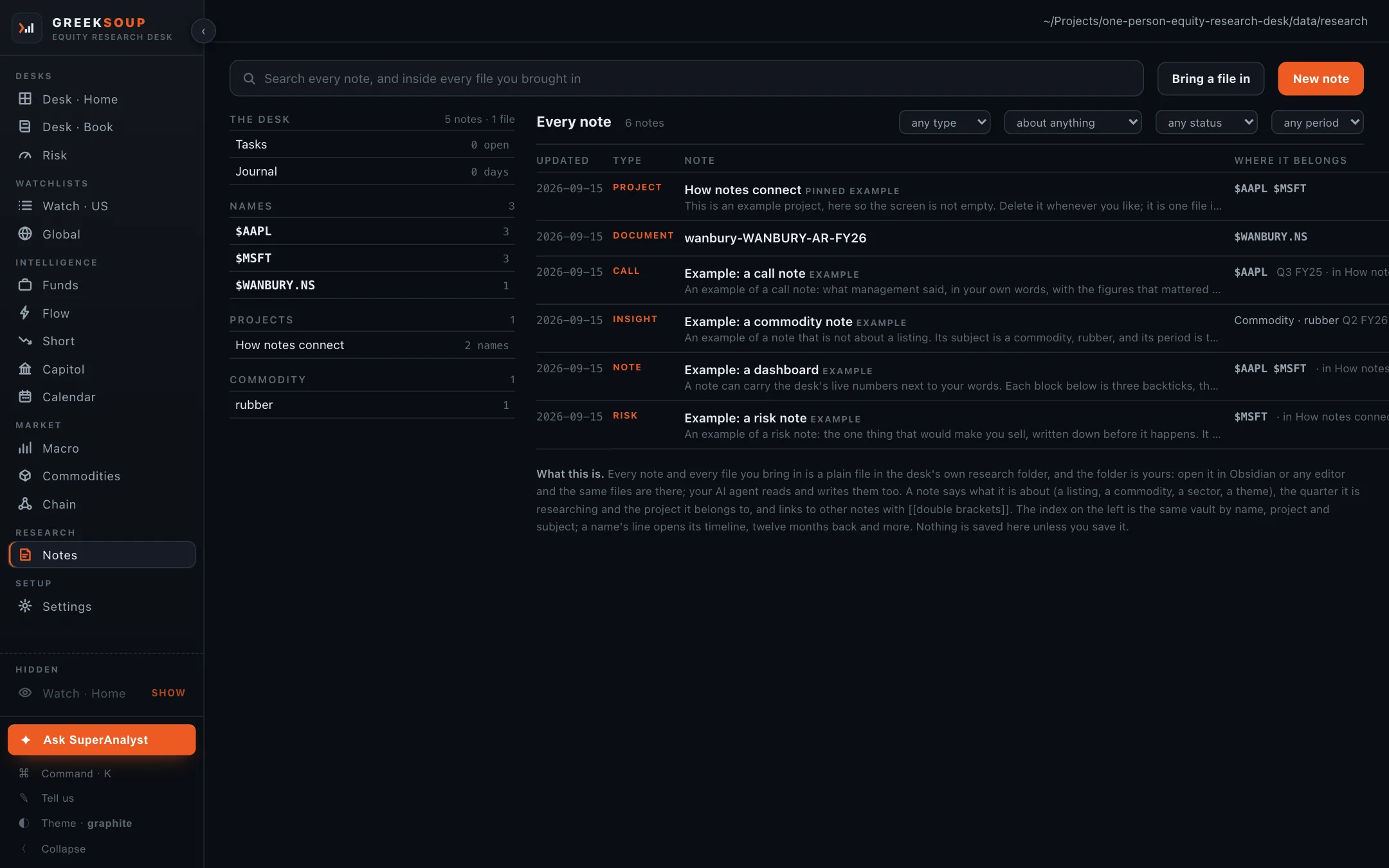
Your research vault as one screen. On the left, the index: what is due, what the desk saw, and every name, project and subject with a count. On the right, every note as a table with four filters, or the note you opened, or the editor. Nothing is saved unless you save it.
What it shows
The index, left. The desk (Tasks with the open count, the Journal with its days), then Names, Projects and every other subject, each with a count. A name's line opens its timeline: everything about it by period, twelve months back and more.
Every note, right, as a table: updated, type (project, document, call, insight, note, risk and the rest), the title with its first line, and where it belongs, the listing or commodity or theme and the quarter it is researching. Four filters: type, subject, status, period.
A note, opened: the text, its links, the files attached to it, and the live blocks. A block is three backticks with a spec (a chart of a name over a year, a table from a screen) and the desk draws it from live numbers every time the note opens.
The path at the top right is the folder on your own computer where all of this lives. The first-open guide asks where you want it: beside the desk, in Documents, or in a folder a drive you already use syncs.
Where it all comes from
| Item | Source |
|---|---|
| Notes | Markdown files you write, in the vault folder |
| Documents | Files you bring in (annual reports, models, PDFs), stored in the vault under the name they belong to, with the text read out of them so search reaches inside |
| Tasks | Your own lines, checkboxes inside notes, and results dates from the Calendar, which arrive on their own |
| The journal | What the desk saw each day, written by the desk |
| Live blocks | The desk's own screens at the moment the note opens |
Needs no key. The AI you connect reads the vault when a question names a subject it holds.
What you can do here
- New note, Bring a file in, and the search across every note and inside every file.
- Open a note to edit it in place; save a chart from a ticker page or an answer from the Ask box straight into a note.
- Open the same folder in Obsidian or any editor; the files are the same files, and your AI agent reads and writes them too.
Notes and the research vault explains how a note names what it is about and links to the rest.