Robinhood
United States. Robinhood lets outside software read an account through its own agent server, after one sign-in on Robinhood's page. The desk connects that way, with nothing to copy; your own AI agent can too.
How Robinhood lets software in
Robinhood runs an agent server of its own, the Robinhood Trading MCP, at https://agent.robinhood.com/mcp/trading. Software that connects to it signs you in on Robinhood's page and then reads every Robinhood account you have: positions, orders, profit and loss, and balances, for stocks, options and crypto. It can place trades only in a separate account Robinhood calls Agentic, and only if you put money in it.
The first time, Robinhood asks you to open that Agentic account. Robinhood's fee page says "We don't charge you fees to open or maintain your account", and you can leave the account empty: the connection works with nothing in it. You can take the access back at any time in Robinhood's Security & Privacy Settings, or on the Agentic account's page.
The four screens
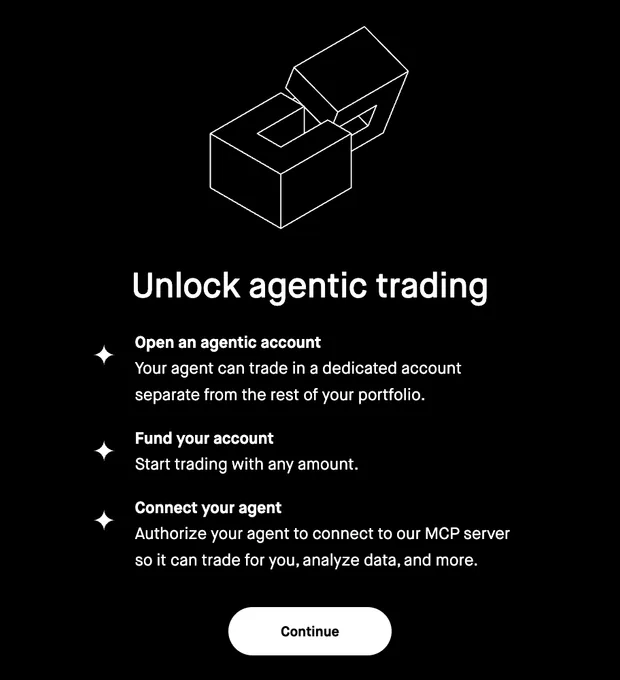
Unlock agentic trading. Press Continue.
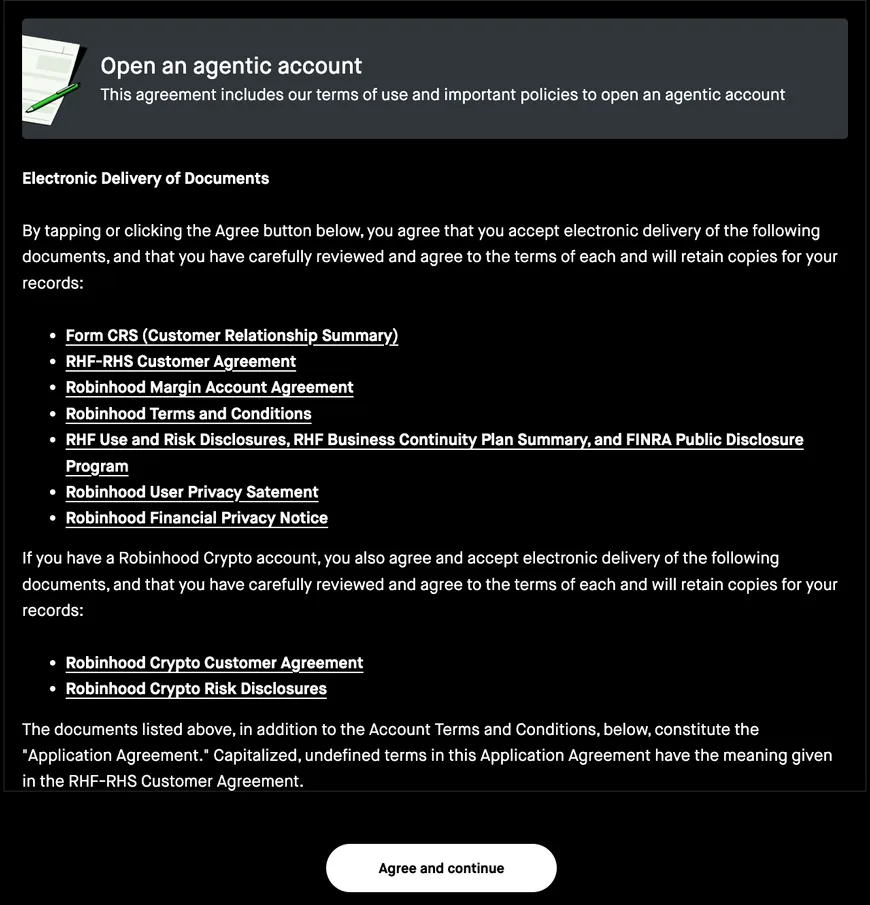
The agreement. Read it, then Agree and continue. Further down, the account is set to open as a margin account; untick that box to open it as a cash account, because Robinhood's margin accounts can be used to cover each other's shortfalls.
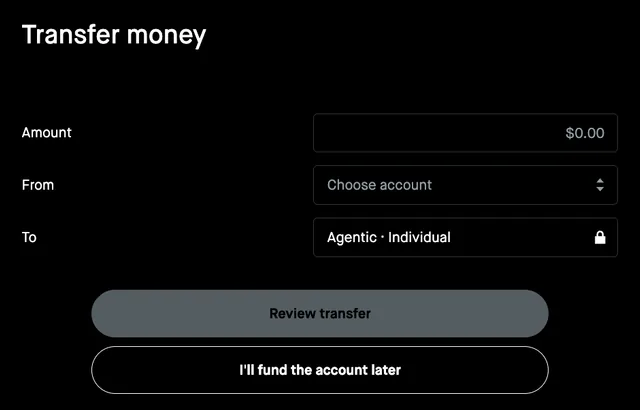
Transfer money. Press I'll fund the account later. Nothing needs to go in.
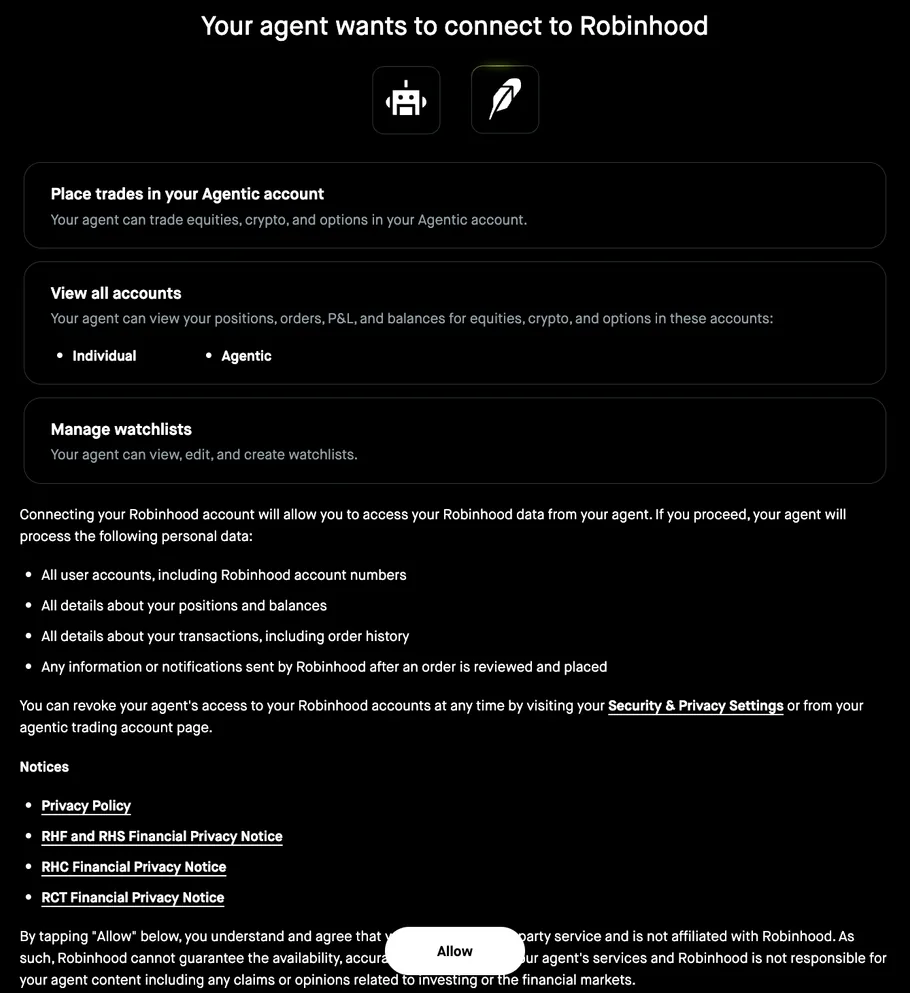
Your agent wants to connect. It lists what the connection can see and do. Press Allow. Robinhood shows every connected program the same way, as your agent, and afterwards lists it as Agent on the Agentic account's page, so the desk's name does not appear there.
On the desk
Pick Robinhood on Settings and press Save and connect, then Log in. Robinhood's page opens, and after Allow it brings you back to Settings, connected; there is nothing to copy. Desk · Home fills with the stock holdings and their average cost, the options, the cash and buying power, with live prices from Robinhood on the watch grids and the ticker page. Crypto goes to its own block on Desk · Home.
To show some accounts and not others, write the last four digits of each in Accounts to show on Settings; empty shows every account that holds something. The desk asks Robinhood only for what Robinhood marks as reading. It never places, changes or cancels an order and never edits a watchlist. The access lasts about a week and renews itself; if it ever lapses, Settings says so and Log in brings it back.
With your AI agent
Robinhood's own page lists the steps for each agent:
- Claude Code:
claude mcp add robinhood-trading --transport http https://agent.robinhood.com/mcp/trading, then/mcp, pick robinhood-trading and sign in. - Claude Desktop: Settings, Connectors, Add custom connector, and paste the address.
- ChatGPT: turn on Developer Mode, then Settings, Apps, Create app, and paste the address.
- Codex: Settings, MCP servers, Streamable HTTP, and paste the address.
Then ask your agent about your portfolio. An agent connected this way can trade in the Agentic account, so leave that account empty if all you want is to read.
By hand
Desk · Book takes holdings by hand or pasted as symbol, shares and average cost, one position per line, for anything you would rather keep off the connection.